Let your AI agent use your real Firefox.
Foxhand is a Firefox add-on that connects Claude Code, Codex, Gemini CLI or any other MCP client to the browser you already use, with your tabs and your logins. A cursor shows what it's doing, and it all runs on your own computer.

Setup
About a minute, three steps.
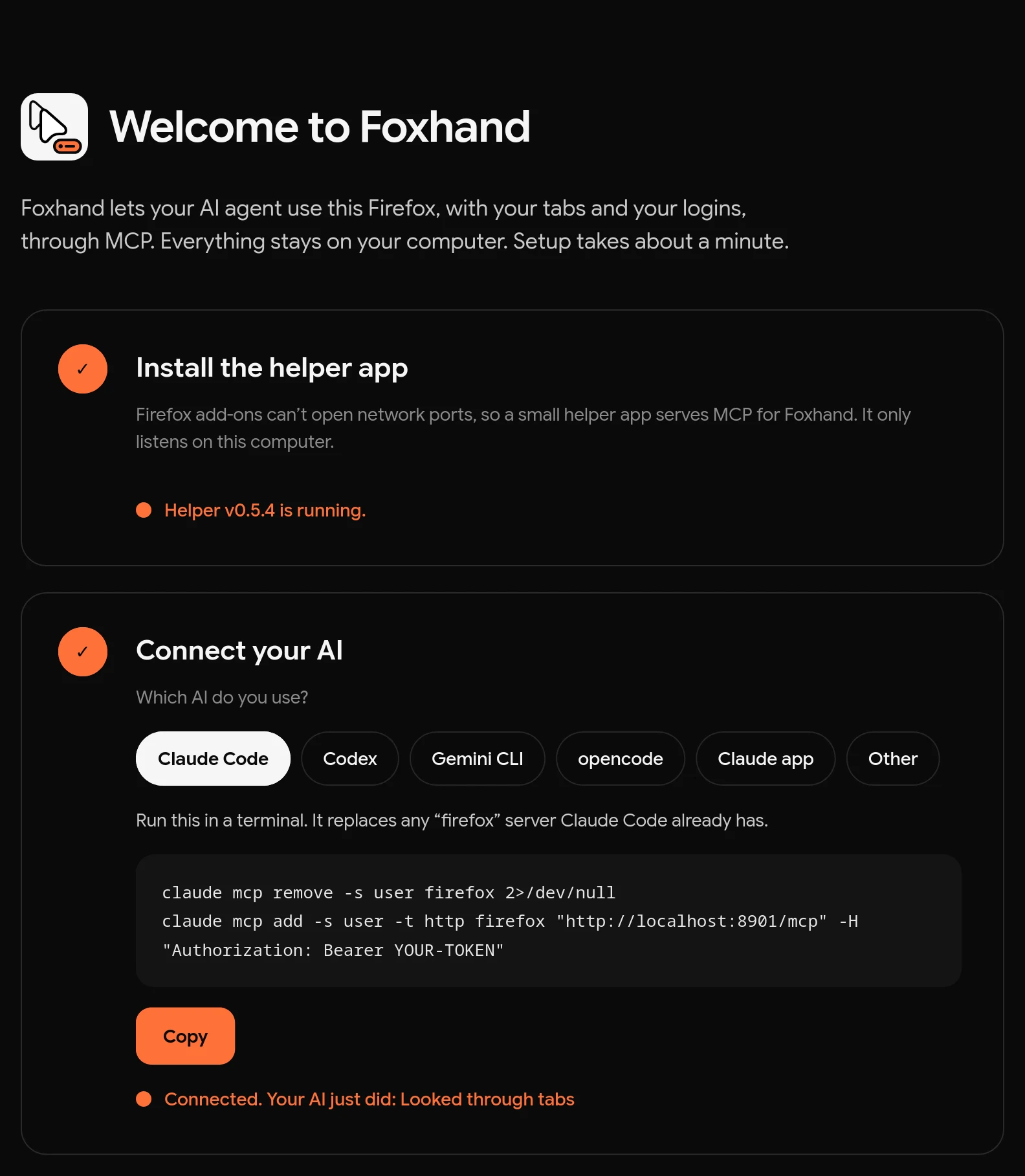
The add-on opens a setup page that walks you through this and ticks off each step when it works.
-
Add Foxhand to Firefox
From addons.mozilla.org. Firefox 142 or newer, on Windows, macOS or Linux.
-
Install the helper app
Add-ons can't open network ports, so a small helper serves MCP for Foxhand, on this computer only. Paste one line, no admin rights needed:
curl -fsSL https://hamb1y.github.io/foxhand/sh | sh
irm https://hamb1y.github.io/foxhand/ps | iex
In Terminal. The script checks the download against the release's SHA-256 sums. Read it first.
In PowerShell. The script checks the download against the release's SHA-256 sums. Read it first.
-
Connect your AI
The setup page gives you this with your token filled in. For example:
claude mcp add -s user -t http firefox http://localhost:8901/mcp \
  -H "Authorization: Bearer <token>"
# ~/.codex/config.toml
[mcp_servers.firefox]
url = "http://localhost:8901/mcp"
http_headers = { Authorization = "Bearer <token>" }
gemini mcp add --scope user --transport http firefox \ http://localhost:8901/mcp --header "Authorization: Bearer <token>"
{
  "mcpServers": {
    "firefox": {
      "type": "http",
      "url": "http://localhost:8901/mcp",
      "headers": { "Authorization": "Bearer <token>" }
    }
  }
}
Then ask
Things you can ask your agent.
Look at my open tabs and group them by topic.
Open github.com/hamb1y/foxhand and tell me what changed in the latest release.
Search my history for the last article I read about Firefox and summarize it.
45 tools
What the agent can do.
It reads pages through an accessibility snapshot, then clicks, types and fills forms by reference or by an element's visible name, the way a screen reader sees the page. Full descriptions are in the README.
Tabs and windows 12
- tab_query
- tab_check_active
- tab_create
- tab_navigate
- tab_focus
- tab_close
- tab_pin
- tab_mute
- window_query
- window_create
- window_focus
- window_close
Reading pages 6
- page_snapshot
- page_text
- page_html
- page_screenshot
- page_info
- page_find
Acting on pages 10
- page_click
- page_type
- page_fill
- page_select
- page_hover
- page_scroll
- page_key
- page_wait
- page_drag
- page_upload
Browser data 14
- bookmark_query
- bookmark_create
- bookmark_remove
- history_query
- download_query
- download_start
- cookie_query
- cookie_set
- cookie_remove
- storage_get
- storage_set
- storage_remove
- session_query
- session_restore
Meta 3
- extension_status
- thought
- event_wait
- Page dialogs (
alert,confirm) never freeze an action. - Links that open a new tab report which tab.
- Iframes from other sites (cookie banners, sign-in buttons) and shadow DOM, open or closed, can be read and used.
- Buttons made from plain divs, icon-only buttons and buttons that only show on hover are found.
- Typing sends real key presses, so autocomplete, input masks and rich editors work.
- Snapshots wait for pages that render after loading.
You stay in charge
It's your browser, so you can always see and stop it.
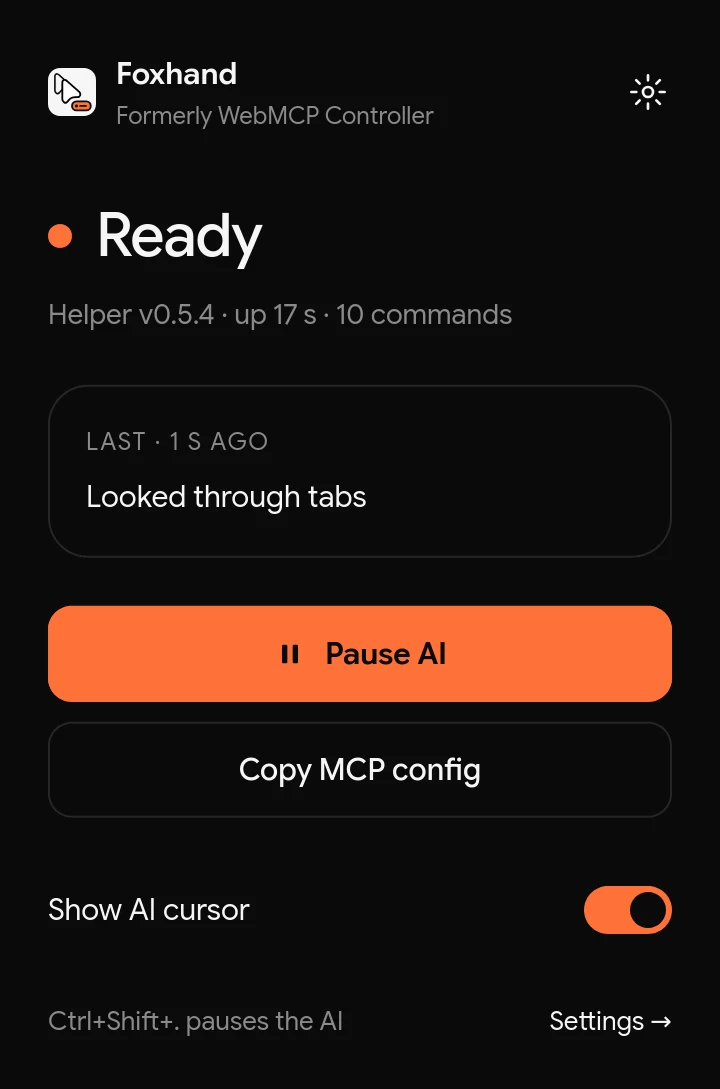
- Pause at any moment
- Press Ctrl+Shift+., or Pause AI in the popup, and every command stops until you resume.
- See where it acts
- A cursor glides to whatever the AI clicks or types into, and says why in an orange bubble. It never blocks your own input.
- Asks before it destroys
- Closing tabs or windows and deleting bookmarks or cookies need explicit confirmation. No tool reads saved passwords.
- Stays on your computer
- The helper listens on
localhostonly, and every request needs a 256-bit token. Nothing leaves your machine unless the AI tool you connect sends it somewhere. - Pages can try to trick the agent
- A web page can contain instructions aimed at your AI. Don't point it at anything you wouldn't let a stranger click through.
About the name
Foxhand used to be called WebMCP Controller.
Why the new name
WebMCP is a proposed web standard that lets websites offer their own tools to AI agents. Foxhand isn't part of it and isn't related to it. It lets an agent use your browser on any site. The old name made that confusing, so we changed it in version 0.5.0.
Already using WebMCP Controller?
Firefox updates the add-on for you, and your settings, token and MCP config keep working. Run the helper install command from step 2 once more to get the renamed helper. The old one hands over without a restart.
The add-on page, the GitHub repository and old download links all still work under the old names.